The family assistant you just text
Family life, simplified. Just text.
School emails, practice schedules, carpools, lunch menus and the grocery list. Text Dottie like you’d text a friend who never forgets, and it keeps everyone on the same page.
Works with iMessage or regular texts.
- No app to download
- Set up in two minutes
- Private by design
An example: you text “What’s on tomorrow?” and Dottie lists picture day, soccer at 5:30 and trash night. You ask it to add the bake sale from a school email; it asks first, you reply with a thumbs up, and it’s on the calendar with a reminder to bake.
Takes care of
- School emails
- Practice schedules
- Carpools
- Lunch menus
- Permission slips
- Birthdays
- Groceries
- Trash day
How it works
Just text it. That’s it.
No app, no logins to remember, nothing new to learn. If you can text, you already know how.
Step 1: Text it, like a friend
Ask anything in your own words, any time. It answers in your Messages.
Step 2: It keeps up with everything
School emails, team schedules, your calendars and even a photo of a flyer. It reads them so you don't have to.
Step 3: You say yes
Before it adds, changes or sends anything, it asks you first. A thumbs up is all it takes.
Setup takes about two minutes: your phone number, your calendar, done.
What it does
All the little things that fill up your week.
Real moments from a family’s week. Every one of them is just a text.
One good morning text
Everyone's day at a glance, before the coffee's done.
A morning text: lunch, Alex's dentist with when to leave, Maya's picture day, Leo's soccer, a form due Friday, and the weather.
Snap the flyer. Done.
Send a photo of any schedule and every game lands on the calendar.
You send a photo of a soccer schedule. It finds 4 games, asks to add them, you give a thumbs up, and they're on Leo's calendar.
Weather that matters
Rain at an outdoor game, a hot day or a freeze. It flags what changes your plans, right in your morning text.
The morning text shows Leo's 10am soccer game with a 70% chance of rain under it, and the weather warns it's hot, up to 92 degrees. You ask for a reminder at 9 to grab rain jackets and extra water, and it says it will text you at 9.
The carpool, figured out
Name the kids. It finds the best order, using your class directory for where each family lives.
Alex says they're taking Leo to Oak Hill by 8 and picking up Sam and Ava. It answers: the Parks on Elm St first, 4 minutes, then the Reyes on Oak Ave, 3 minutes, then Oak Hill, 6 minutes. About 13 minutes; leave by 7:42.
Look anyone up
From the class directory you add. Only grown-ups in your family can look things up.
You ask whose number 555-0142 is. It says Jamie Park, Sam's mom, from Oak Hill's class directory. You ask for their address and contact; it sends a contact card and says they're at 14 Elm St.
One grocery list for everyone
Anyone can add to it, even from the family group chat. When you're ready, it fills your Kroger cart.
In the family group chat, Alex asks it to add milk and eggs to the list, and it says the grocery list now has 7 items. Later, in a text of your own, you ask it to put the list in your Kroger cart. It shows the 6 products it found, mostly your usual ones, says it couldn't find birthday candles, and asks first. You give a thumbs up, and it adds the 6 items to your cart and checks them off the list.
Your trips, too
Connect your travel app and ask about flights and hotels by text.
You ask what time your flight is Friday. It says flight 1234 leaves at 6:20pm from CVG and lands in Orlando at 8:35pm, confirmation ABC123. You ask about the hotel: check in Friday, check out Monday, with its confirmation number.
Never miss a permission slip
Forms and due dates from school email, with a reminder before they're late.
It reminds you Leo's field trip form is due tomorrow, from the teacher's email, and sends the link.
It remembers the little things
Shoe sizes, the teacher's birthday, the gate code. Just ask.
You ask Leo's shoe size and it answers. You tell it the teacher's birthday and it offers a reminder to get flowers.
Know when to leave
Drive time included, and a nudge when it's time to go.
You ask when to leave for the game. It says leave by 9:30 and offers a reminder at 9:20.
“What's for lunch?” Answered.
It reads the school menu, so you don't have to hunt for it.
You ask what's for lunch; it says chicken tacos, and pizza day is Friday.
Ask where it heard that
Ask after any answer and it tells you the email, calendar or page it came from.
It mentions early dismissal Friday. You ask where that came from, and it names the school's Friday Folder email and the day it arrived.
And it can also…
- Remind you it's trash and recycling night 🗑
- Spot when two things overlap, and ask the other parent to drive
- Notice when the school lunch page stops updating
- Remind the right person at the right time
- Check any stock by text, and add S&P futures to your morning text 📈
- Write an email draft for you to send yourself
- Remember birthdays and give you a heads-up
- Keep more lists: the Target run, gift ideas, packing for a trip
Works with your calendar and email from Google, iCloud and Outlook, your Kroger account, your kids’ school and team calendars, and other apps you already use, like your travel app.
- iCloud
- Outlook
- Kroger
- School & team calendars
- Your travel app


For the whole family
Everyone on the same page. Finally.
Both parents, the kids, even the grandparents. One assistant that knows who’s who and keeps the whole crew in step.
- AlexParent
- CaseyParent
- Maya9
- Leo7
- NanaGrandma
Everyone gets their own colour
See whose day is whose at a glance.
Kids don't need a phone
Their schedules live right alongside yours.
It joins the family group chat
Add it to your family's group text. It answers when you say its name, adds to the shared list and finds a driver.
Private stays private
Your email and private calendars are only ever yours.
An example in the family group chat: Alex asked Dottie who’s driving Leo on Sunday, so it posts in the group that there’s no driver yet and asks who can take it. Casey reacts with a thumbs up, Dottie confirms Casey’s got it, and Casey offers to bring orange slices.
Your family’s home page
Everything in one place, when you’d rather look.
Texting is the easy part. Your family’s home page shows the week ahead, the grocery list, everyone’s calendars and what Dottie has learned, and you can change anything there.
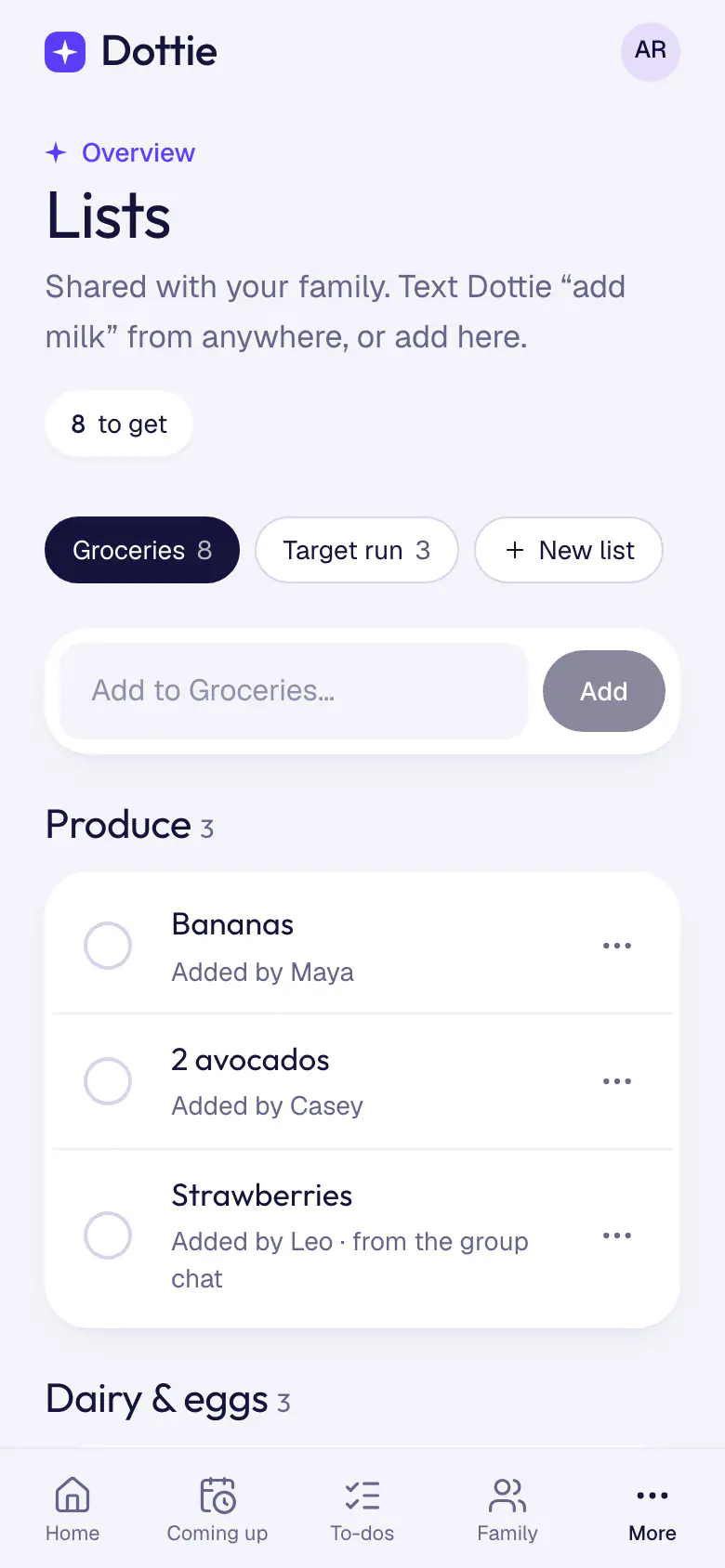
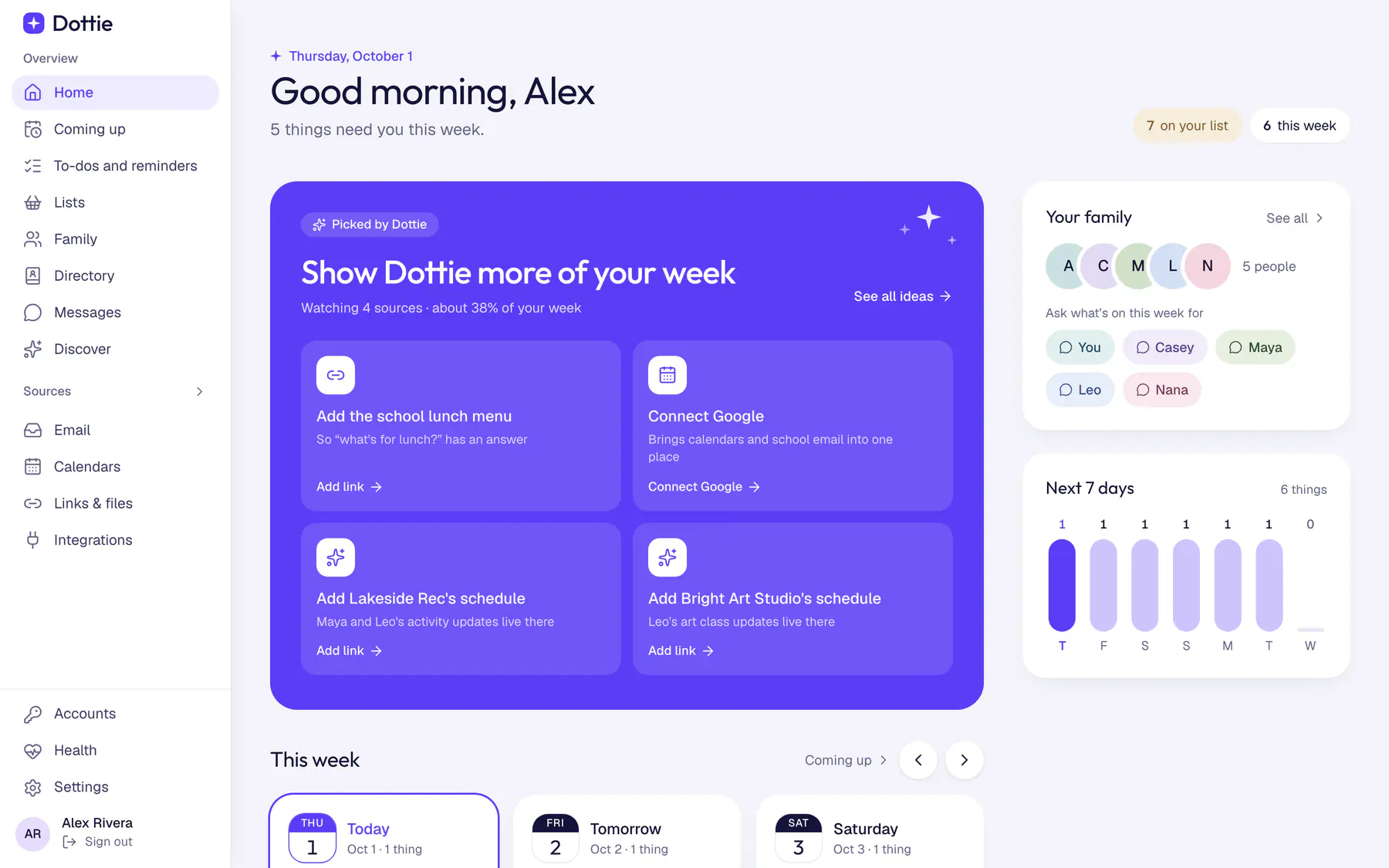
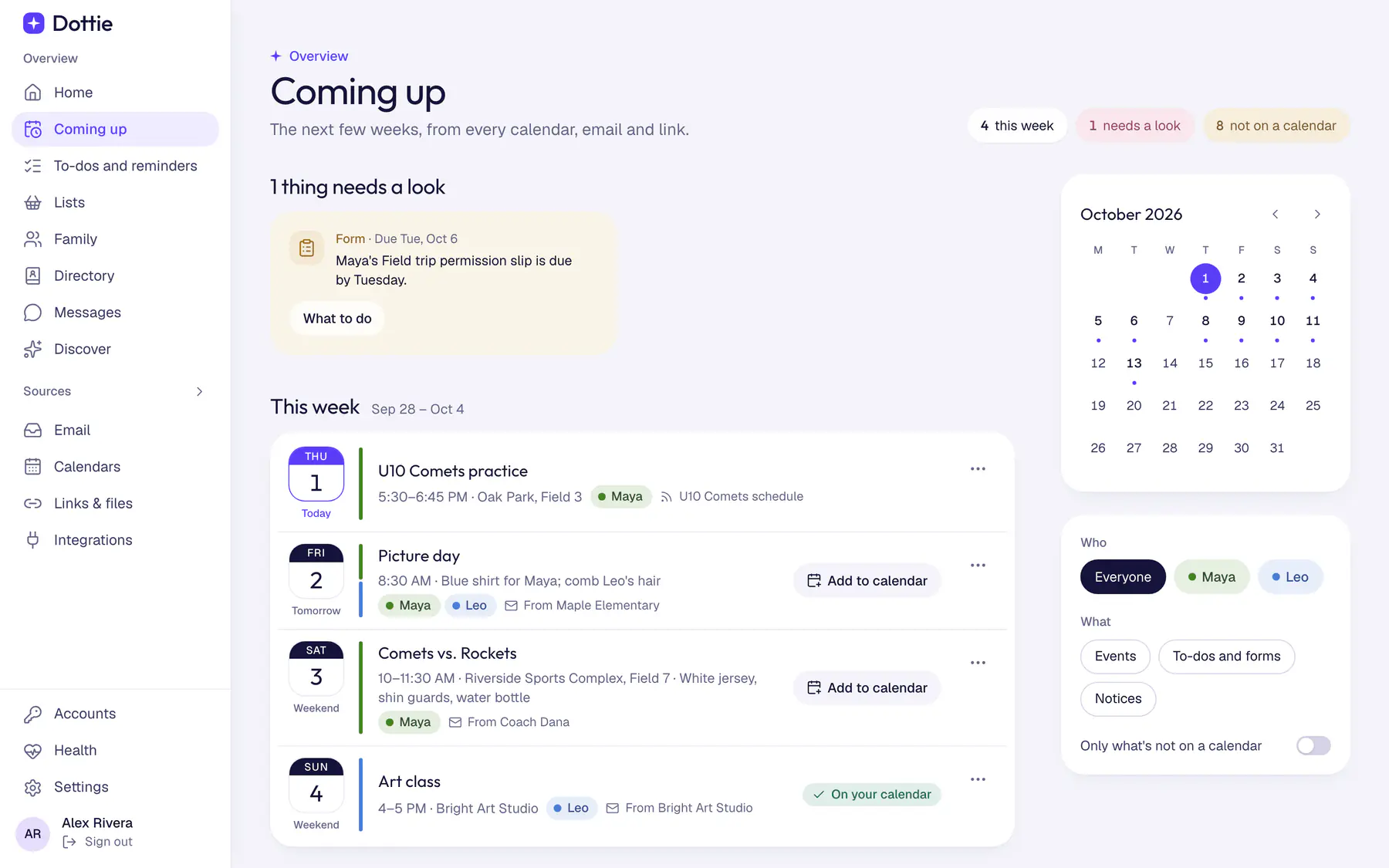
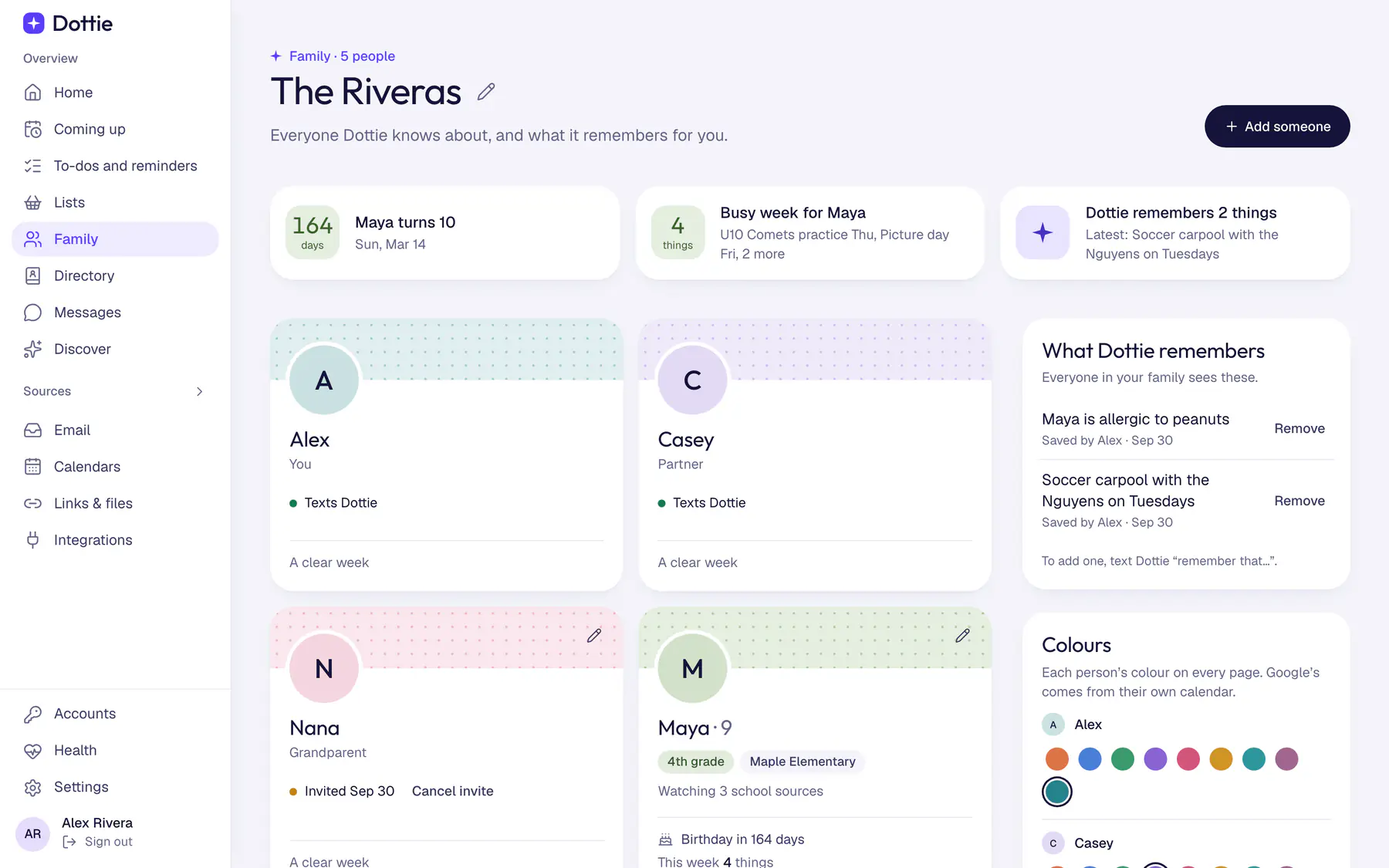
The whole week at a glance
Every calendar, school email and flyer, together in one place.
Fix anything with a tap
Wrong time, or the wrong kid? Change it right there.
You choose what it reads
Pick which calendars and email it looks at, and turn any off whenever you like.
Add your family and helpers
Your partner, the grandparents, a sitter. Everyone gets their own colour.
Private by design
Your family’s information stays safe.
You’re trusting us with your family’s week. We take that seriously, and we keep it simple: your stuff is yours.
Your email stays yours
Only you can ask about your inbox. Not even your partner can.
It always asks first
Nothing gets added, changed or sent without your yes. It never sends email on its own.
Locked up tight
Your sign-ins to Google, iCloud and Outlook, what it remembers for your family, and your shared lists are all stored encrypted.
Never sold, never shared
We don't sell your data, show ads, or share it outside your family.
Texts fade after 90 days
Your conversation is deleted after 90 days. Clear it sooner whenever you like.
You're in control
Disconnect an account or delete everything, any time, from your home page.
The details, in plain words: our privacy policy.
Price
One simple price for the whole family.
Not per person, not per kid. Everyone in your family, the family group chat and everything on this page.
Early access price
$4.99/ month
One price for the whole family
- Everyone in your family
- The family group chat
- Every feature on this page
Questions
Good questions.
Anything else? Once you’re set up, just text Dottie “help”.
Do I need to download an app?
Nope. Dottie lives in your Messages, like any other contact. There's a simple web page for settings if you ever want it, but most families never need it.
Does it work on Android?
Yes. On iPhone it chats over iMessage, thumbs-up reactions and all. On Android it works over regular texts.
Who in my family can see what?
Calendars you share and things you ask it to remember for the family are shared with your family. Your email and any calendar you mark private stay yours alone. Even your partner can't ask about your inbox.
Does it work with iCloud or Outlook?
Yes. Dottie reads Google, iCloud and Outlook calendars and email. Connect Google while you set up, and add iCloud or Outlook from the Calendars page whenever you like. It reads iCloud and Outlook without changing anything there, and it never marks your email as read.
Can it connect to other apps I use?
Some, yes. Travel and family apps that offer a connection can be added from your Dottie home page. Then just ask, like "What time is our flight Friday?" It only reads from them. It never books, changes or cancels anything there.
Can it join our family group chat?
Yes. Add Dottie's number to your family's group text. It stays out of the chatter and only answers when someone starts with its name, like "Dottie, what's on Saturday?", and it only shares what the whole family can see there, never anyone's email.
What if it gets something wrong?
Just tell it, the way you'd tell a friend: "No, practice moved to 6." And since it asks before it adds or changes anything, a mix-up never lands on your calendar without your yes.
Does it send emails for me?
Never on its own. It can write a draft for you to look over and send yourself.
How much is it?
$4.99 a month for the whole family, at our early access price.
How do I make it stop?
Text STOP and it goes quiet. Text START to bring it back. In the family group chat, say "Dottie, stop". Just want fewer texts? "Stop tips" ends the getting-started tips. You can also delete your account any time from your Dottie home page.
Let Dottie take it from here.
Setup takes about two minutes. Then just text.
Get started$4.99 a month for the whole family · Private by design